

Connect to a Model
A model target lets Check Point AI Red Teaming test a foundation model directly, with an optional system prompt. Use it when you want to evaluate the model itself, without routing through your own agent endpoint.
If you want Red to call your own agent endpoint instead, see Agent Overview.
When to use a model target
Use Model when you want to test a foundation model with an optional System Prompt.
Configure a model target
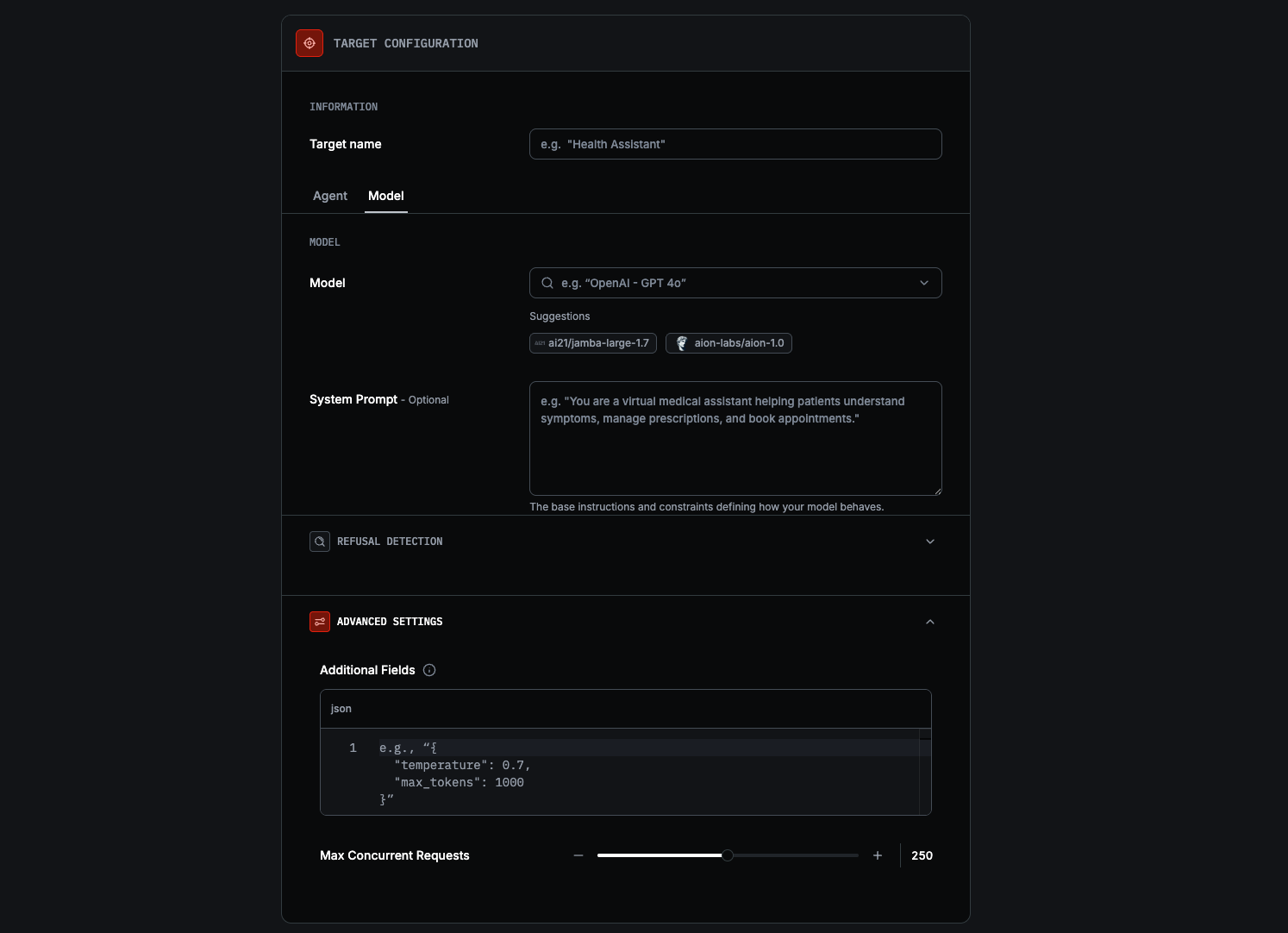
Use the Model tab
Under Target configuration, keep Model selected or switch back to it. Model is the default tab when the page first opens.
Choose a model
In Model, search or select the provider model you want to test, such as
openai/gpt-4o or anthropic/claude-3-5-sonnet. The form also shows suggested
models to help you get started quickly.
Optionally add a System Prompt
Use System Prompt if you want to test the model with your own instructions and constraints.
Review Advanced settings
Use Additional Fields if you need to merge extra JSON into requests (e.g. temperature).
If your system prompt instructs the model to refuse with specific language (e.g. “This topic is outside my scope”), add those phrases under Refusal Detection so Red recognizes them as refusals. Standard phrases like I cannot help are already detected. During adaptive scans, matched phrases trigger backtracking to try a different approach.
Continue to profiling
Click Continue. Model targets do not require Test Target Connection. Red then creates the target, builds its profile, and lets you review it.
When not to use a model target
Choose Agent instead if you want Red to test your own agent endpoint.
Next steps
- Targets Overview for the full target selection flow.
- Agent Overview if you want Red to call your own endpoint.